GPS Location Tracker & Share
- 4.1
- Rating
- 100.00K
- Installs
- Free
- Price

 Analysis by App-foxy
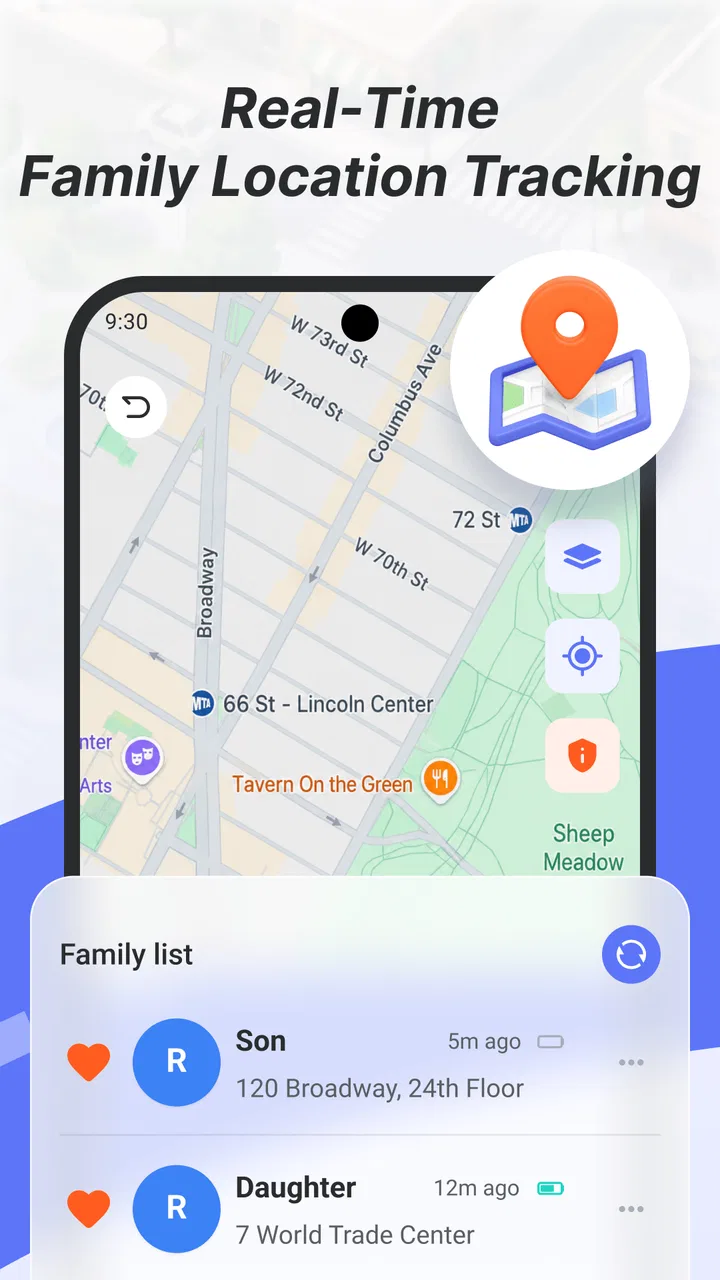
When I try a location app, I do not begin with the map itself. I begin with a more practical question: what problem am I trying to solve? Finding my own position, checking where a family member is, sharing a location during a journey, or replacing a more complicated family-safety service all require slightly different tools. GPS Location Tracker & Share is aimed at the first group of needs, with a straightforward focus on personal location and real-time family positioning.
I found the app most interesting as a simple starting point rather than as an all-purpose navigation platform. It belongs to the Maps & Navigation category, is free to use, and has an Everyone age rating. That combination makes it easy to consider for a household that wants to try location sharing without committing to a paid service immediately. At the same time, a location tool needs to be judged by more than its store summary. Reliability, clarity, privacy habits, and the effort required from every person in the group matter just as much as the map.
How I would decide whether it fits
The first decision is whether you need tracking or navigation. A traditional map application is usually better when the main task is planning a route, finding businesses, checking traffic, or getting turn-by-turn directions. GPS Location Tracker & Share makes more sense when the important question is “where is this person?” rather than “how do I get there?” That distinction prevents a common disappointment: installing a location tracker and expecting it to replace a complete navigation suite.
You May Also Like

 Blood Strike: 2.5 Anniversary
Blood Strike’s Loadouts Turn Every Drop Into a Tactical Gamble
A close look at Blood Strike’s custom loadouts: how fast access to signature weapons reshapes its battle royale rhythm, rewards preparation, and narrows the gap between fights.

 Pandora - Music & Podcasts
Pandora’s Music Is Easy to Start, but Harder to Recover
Pandora’s strength is its low-effort path from a seed to a station. Its weak spot is how much confidence it asks you to place in connection, setup, and quiet recovery.

 8 Ball Pool
 Is Built on Rivalries, Rematches, and Routine
A close look at the rivalries, rematches, shared routines, and unanswered safety questions that turn a quick pool match into a persistent mobile community.

 Samsung Music
’s Quiet Strength Is Playing What You Already Own
Its reach comes less from spectacle than from dependable access to a personal library. That simplicity is both the app’s strongest retention engine and its ceiling.

 AccuWeather: Weather Radar
AccuWeather Review: A Quick, Clear Forecast for Everyday Decisions
For everyday plans, the best forecast is the one you can understand quickly. AccuWeather makes rain timing, radar, and local conditions easy to act on, with a few trade-offs.

 Hill Climb Racing
Why Hill Climb Racing Still Turns Crashes Into One More Run
A tiny car, a bumpy hill and one more upgrade: Hill Climb Racing keeps resurfacing because its simple chaos makes every near-miss feel personal.
More From Our News Desk



The second decision is how many people need to participate. A personal location tool can be useful on its own, but family positioning only works when the relevant people understand the process and agree to use it. I would not install it on someone else’s phone and assume the problem is solved. Before relying on it, I would make sure each participant knows when location sharing is active, how to stop it, and what the app is intended to do.
The third decision is how much complexity your household can tolerate. Some family-location services build their experience around extensive alerts, history, driving tools, communication features, or broader safety systems. Those additions can be valuable, but they also create more settings to understand. GPS Location Tracker & Share appeals to me when the goal is narrower: open a location-focused app, check the relevant position, and share location when needed without turning the phone into a large family-management project.
I would also consider the phones involved. The current version is 1.0.0.2 and the app supports Android 8.0 or later. That makes it suitable for many older Android devices, although a household with mixed platforms should confirm that everyone can use the same workflow comfortably before depending on it. The app is developed by Huju Network Technology CO., Ltd., and its presence on the Android side makes the operating-system question especially important for families using both Android and iOS devices.
Finally, I would think about the consequence of an inaccurate or unavailable position. For casual coordination, a location app can save messages and reduce guesswork. For emergencies, child safeguarding, or situations where a person may be at risk, I would treat any phone-based tracker as one part of a wider plan rather than the only safeguard. A map marker is useful information, but it is not the same as direct contact or emergency assistance.
The everyday situations where it feels most useful
A realistic example is a family meeting at a busy public place. One person arrives early, another is travelling from work, and a third is delayed. Instead of sending several messages describing entrances and nearby landmarks, the family can use a location-sharing workflow to make the meeting easier to coordinate. In that situation, the value is not advanced mapping; it is reducing small misunderstandings when people are moving around.
I can also see it helping during a day trip. If two relatives take different routes through a large outdoor area or shopping district, checking a shared position may be quicker than repeatedly asking for directions. The person who is waiting can make a better decision about where to stand, while the person still travelling can avoid typing a long explanation. This is a modest benefit, but it is exactly the sort of friction a focused location tool can remove.
Another useful case is temporary sharing. A friend travelling home late might share a position during the journey and stop afterward. That is a better privacy habit than leaving permanent access active simply because it is convenient. I would make this temporary mindset part of the routine: share for a clear purpose, check who can see the position, and end the arrangement when the purpose is finished.
For parents, the app may be worth considering when the need is occasional reassurance rather than a complete monitoring system. A teenager walking to a meeting point or a family member travelling to an unfamiliar area may benefit from a simple location check. However, I would discuss the arrangement openly. Location sharing works better when it is understood as a safety and coordination tool, not as invisible surveillance.
Where this app wins against the usual choices
The strongest case for GPS Location Tracker & Share is its focused identity. A standard map app can show my position, but it is not necessarily designed around keeping track of several family members. A messaging app can share a location, but location is only one function among many conversations, media, calls, and notifications. A dedicated family-positioning tool has a clearer purpose, and that clarity can make the relevant action easier to find.
Its free price also lowers the barrier to testing it with a household. I can try a focused location workflow without first deciding whether a subscription is justified. That matters for families whose need is occasional or seasonal, such as travel, school activities, or coordinating visits. Free does not automatically mean better, but it makes experimentation less risky when the app meets the basic need.
The app has attracted an average rating of 4.1 from around a hundred ratings, with a small number of written reviews visible alongside that score. I read that as a sign of early interest rather than definitive proof that it will suit every family. The install count is over one hundred thousand, so it is not an entirely obscure download, but I would still test it personally before making it part of an important routine.
One non-obvious strength is that a focused app can encourage a cleaner household agreement. Instead of mixing location details into several chat threads, family members can reserve this tool for position-related coordination. That separation can make it easier to remember why sharing was enabled and who was meant to receive it. The advantage is organizational rather than flashy, but it can improve everyday privacy decisions.
A second useful insight is to use the app as a check-in aid rather than as a constant observation tool. For example, before leaving for a long journey, everyone can agree on when a position will be shared and what action should follow if someone does not arrive. This creates a simple workflow around the app and avoids the vague expectation that somebody is always watching a map.
A third trade-off concerns older phones. Support for Android 8.0 or later may allow a family to include a device that is not new, which is helpful when not everyone has the latest handset. But older hardware, weak batteries, poor reception, and restrictive background behavior can still affect any location service. I would test the exact phones used by the family, especially before travel, rather than assuming that installation alone guarantees a dependable position.
What I would check before relying on a shared position
I would begin with a small trial in an ordinary environment. Each participant should open the app, identify their own position, and practise sharing it with the intended person. Then I would close and reopen the app, move a short distance, and confirm that everyone understands what the displayed position means. This test is valuable because confusion often comes from the workflow, not from the map.
I would also establish a plain-language rule for stale information. A displayed position may represent the last successful update rather than a person’s exact current spot. If someone’s marker does not change, the first response should be to contact that person and check the phone’s connection, battery, and app status. I would never interpret an unchanged marker as proof that something has happened.
Privacy deserves equal attention. I would keep the sharing circle as small as possible, avoid sharing with people who do not need access, and review the arrangement after a trip or event. Families should also agree on whether location sharing is optional, when it is expected, and how a participant can pause it. Those habits are more important than having a map open all day.
For a child or dependent adult, I would combine the app with a direct communication plan. The family should know who calls first, which meeting place is agreed, and what to do if the phone cannot be reached. GPS Location Tracker & Share can support that plan, but it should not replace it. This is one of the clearest boundaries between a convenient tracker and a complete safety service.
Where another category may fit better
I would choose a conventional navigation app instead when driving directions, public transport, traffic, saved places, or route planning are the main priorities. A location tracker may tell me where someone is, but it is not automatically the best tool for getting that person from one place to another. Using the wrong category can mean switching between apps at exactly the moment when simplicity matters most.
I would look at a messaging platform when location sharing is occasional and tied closely to an existing conversation. If a group only needs to share a position once while meeting at a restaurant, opening a separate dedicated app may feel like extra work. The advantage of GPS Location Tracker & Share becomes clearer when location is a recurring household task rather than a one-off message.
A broader family-safety service may be better for households seeking a more comprehensive system. Some families want extensive controls, recurring alerts, activity records, or several communication tools in one place. I would not select this app expecting those broader categories to disappear. A focused tracker is attractive precisely because it avoids unnecessary complexity, but that also means it may not satisfy someone looking for an all-in-one family dashboard.
I would also skip it if the household cannot agree on transparent sharing. No location application can repair a lack of trust, unclear consent, or poor communication. In that situation, a conversation and a clear check-in routine are more important than installing another tool. The app is best for people who already have a legitimate, shared reason to coordinate positions.
The real cost of switching to a dedicated tracker
Because the app is free, the main cost is not money. It is the time needed to bring everyone into the same routine. Every participant may need to install it, understand the sharing process, keep the phone usable, and remember which app to open. For a single event, that setup may be more effort than sending a location through a familiar chat. For repeated family coordination, the initial effort can pay off through a clearer dedicated workflow.
There is also a social cost. Asking relatives to share their location can feel intrusive if the purpose is not explained. I would present the app as a limited coordination tool, define the circumstances in advance, and make it clear that sharing should not continue indefinitely without a reason. This approach makes adoption more realistic and reduces the chance that someone simply disables the app because it feels controlling.
The technical switching cost is the need to verify the phones that matter. I would test the app over a normal day, including time away from home, rather than checking only while connected to a strong household network. I would also watch battery behavior and make sure participants know how to recognise an outdated position. These are not special tricks inside the app; they are practical checks that determine whether a location tool is dependable in the real world.
Switching away later is relatively simple if the family treats the app as one tool rather than the only record of a person’s safety. Keep important phone numbers, meeting points, and check-in agreements outside the app. Then another map, messaging service, or family-positioning product can take over without leaving the household unsure what to do. This is an important distinction: convenience should not become dependence.
The app’s current version, 1.0.0.2, also makes me favour a gradual rollout. I would start with low-risk situations such as meeting friends or coordinating a short outing. After the family understands the experience, it can decide whether the workflow is reliable enough for more meaningful journeys. That approach is more sensible than assuming a newly adopted tool deserves immediate responsibility for every situation.
My recommendation for different kinds of users
I recommend trying GPS Location Tracker & Share if you want a free, focused way to experiment with family location sharing, especially when your household needs occasional position checks rather than a large collection of safety features. It is a reasonable candidate for relatives coordinating meetups, travellers sharing their progress, or families that want a dedicated place for location-related tasks instead of scattering them across messages.
I would be more cautious if you need turn-by-turn travel help, detailed route planning, or a mature all-in-one family-management system. In those cases, a standard navigation app or a broader family-safety category may be a better match. I would also avoid making any tracker the sole emergency solution, regardless of how convenient its map appears.
My practical advice is to install it on the actual phones your household will use, run a short shared-location test, and agree on privacy rules before a real trip. If the workflow feels clear and the people involved are comfortable with it, the app can earn a place in your routine. If everyone keeps falling back to a messaging app for the same task, that is useful information too: the familiar alternative may be the better choice for your household.
Overall, I see this as a focused and accessible Maps & Navigation app rather than a replacement for every location-related tool. Its free entry point, family-positioning emphasis, and simple decision path are its most appealing qualities. The rating of 4.1 and more than one hundred thousand installs suggest that people are giving it a meaningful try, while the relatively early version means I would still judge it through personal testing. For the right user, the best reason to choose it is not feature quantity but a clear, shared location workflow.
FAQs for GPS Location Tracker & Share
01What is GPS Location Tracker & Share used for?
GPS Location Tracker & Share is designed to help you view, share, and monitor real-time locations using a smartphone’s GPS capabilities. It can be useful for coordinating with family members, meeting friends, keeping track of a trip, or sharing your current position in an emergency. The exact tools may vary by version, so review the app’s permissions and feature list before downloading.
02Does GPS Location Tracker & Share require an internet connection?
Yes, an internet connection is generally needed when sharing your live location or updating it for another person to view. GPS determines the device’s position, while mobile data or Wi-Fi usually transmits that information. Location accuracy and update speed can also be affected by weak GPS signals, poor network coverage, indoor use, battery-saving settings, or restrictions placed on background activity.
03Is GPS Location Tracker & Share safe and private to use?
The application may handle sensitive information because location data can reveal where you live, work, travel, or spend time. Before using it, check which permissions it requests, who can access shared locations, and whether links or tracking sessions can be stopped at any time. Only share your position with trusted people, and avoid granting continuous access unless it is genuinely necessary.
04Does GPS Location Tracker & Share drain the phone battery?
Continuous GPS tracking can use more battery than ordinary applications, particularly when the app frequently refreshes your position or remains active in the background. Battery consumption depends on update intervals, screen usage, signal strength, and whether the phone is connected through mobile data. For longer trips, carrying a charger or power bank is recommended, and users should check the app’s tracking settings.
05Can I use GPS Location Tracker & Share to track someone without their knowledge?
A responsible location-sharing app should be used only with the knowledge and consent of the person being located. You should not install it on another person’s device, use someone else’s account, or attempt to monitor them secretly. Location tracking can create serious privacy and legal issues. Use the app for transparent purposes, such as family coordination, travel safety, or meeting arrangements.
Pros
- Real-time location sharing helps coordinate trips
- meetups
- and family plans.
- Location links can make it easier to find someone in crowded places.
- Useful tracking history may help review recent routes and movements.
- Simple sharing tools are convenient for users with limited technical experience.
- Can improve peace of mind during solo travel or outdoor activities.
Cons
- Continuous GPS use may noticeably reduce battery life on some phones.
- Location accuracy can drop indoors
- underground
- or in dense urban areas.
- Sharing sensitive location data raises privacy and security concerns.
- Tracking may depend on mobile data
- GPS access
- and a stable internet connection.
- Some features may require subscriptions
- ads
- or in-app purchases.

GPS Location Tracker & Share
Gallery